Edge Panel

Ignition Edge Panel provides standalone HMI functionality at the edge of the network, allowing operators to visualize and interact with industrial systems locally. An Edge Panel installation supports one local Client running on the same system as the Edge Gateway and one remote Client that can connect from elsewhere on the network.
Edge Panel supports both the Vision and Perspective visualization modules. An Edge Gateway can run one visualization module at a time, and you can switch between Vision and Perspective by modifying the Visualization Module setting on the Edge Gateway.
In addition to the Vision and Perspective modules, an Edge Panel license includes the Symbol Factory image library, which provides a large collection of industrial graphics for building HMI screens. During the trial period, Ignition Edge Panel is available with a resettable two-hour trial window.
Visualization Module
An Edge Gateway with the Panel product can launch either Perspective Sessions or Vision Clients, but not both. Ignition Edge Panel comes standard with the Ignition Designer.
Licensed Edge Gateways that don’t have the product will refuse to launch either runtime. In addition, switching visualization to one module will fault the other, preventing the Designer from accessing resources to the faulted module. This may require a Designer restart.
By default, the visualization module is Vision. To change the visualization module:
-
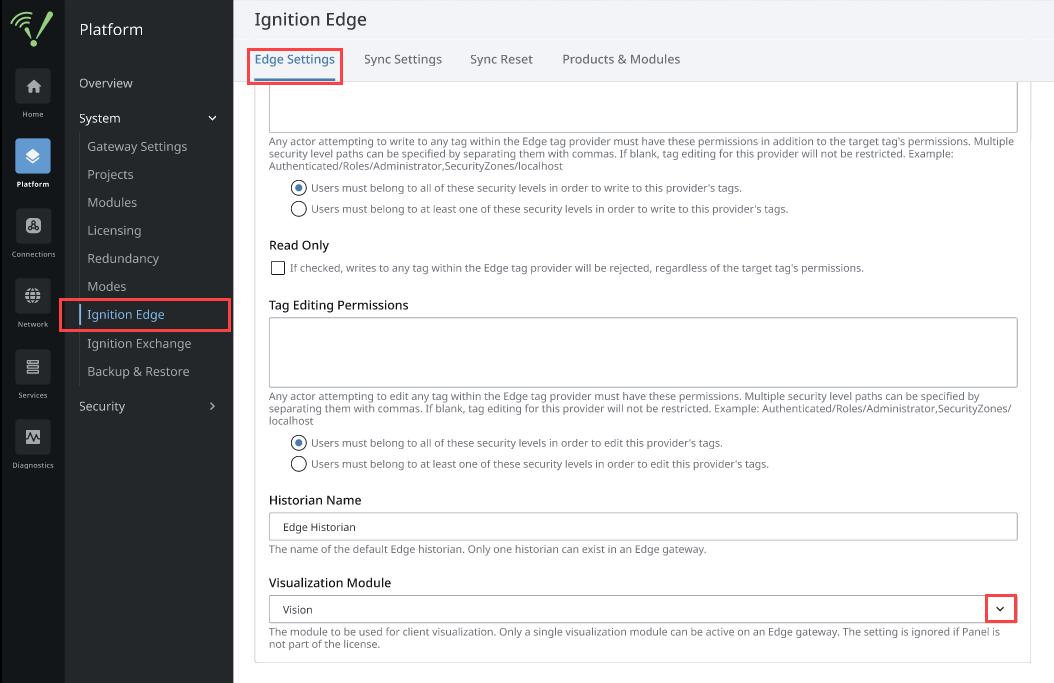
On the Edge Gateway go to Platform > System > Ignition Edge.
-
On the Edge Settings tab, scroll down to the Visualization Module setting.
-
Select the visualization module you want (Vision or Perspective) using the dropdown arrow.
-
Click Save Changes.
Running Vision on Panel
When the visualization module is set to Vision, only two Clients are allowed:
- One local Client that must run on the same system as the Edge Gateway.
- One Client that can be launched anywhere on the network.
Running Perspective on Panel
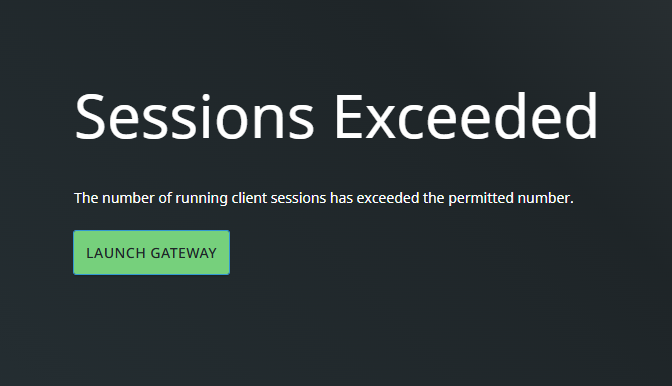
When the visualization module is set to Perspective, only two Sessions are allowed. Both Sessions can run on remote systems simultaneously. Attempting to open a third Session will cause a message to appear saying that the number of running Sessions has been exceeded.